plotting.py
This module contains functions to create nice plots.
-
class
neurons.plotting.CurrentPlot(neurons)¶ A plot of the current of neurons.
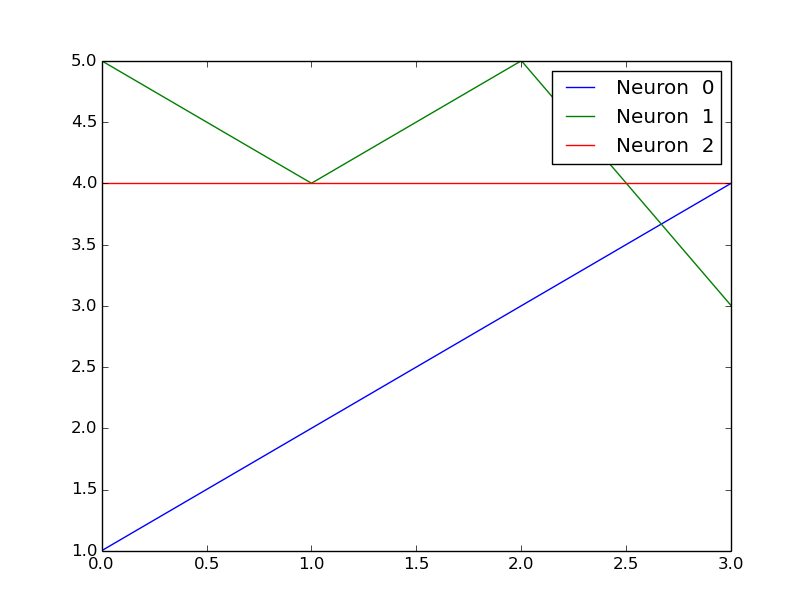
Create the plot by adding the values of the currents at one timestep with CurrentPlot,add(values).
Example
The image above was created by following code:
c = CurrentPlot(3)
c.add(np.array([1, 5, 4]))
c.add(np.array([2, 4, 4]))
c.add(np.array([3, 5, 4]))
c.add(np.array([4, 3, 4]))
c.show_plot()
plt.show()
-
save_plot(filename='plot.png')¶ Saves the plot.
Parameters: filename (String) – Name of the file. Default: ‘plot.png’
-
-
class
neurons.plotting.CurrentsHeatmapAnimation(fps=30)¶ Example
The video above was created by following code:
cha = CurrentsHeatmapAnimation()
for i in range(300):
    cha.add(np.random.randn(1, 20))
cha.show_animation()
plt.show()
Initialize the Currents Animation :param fps: How many frames-per-second the animation should be played. Default: 30 :return: None
-
add(currents)¶ Adds currents to the end of the animation :param currents: :return: None
-
-
class
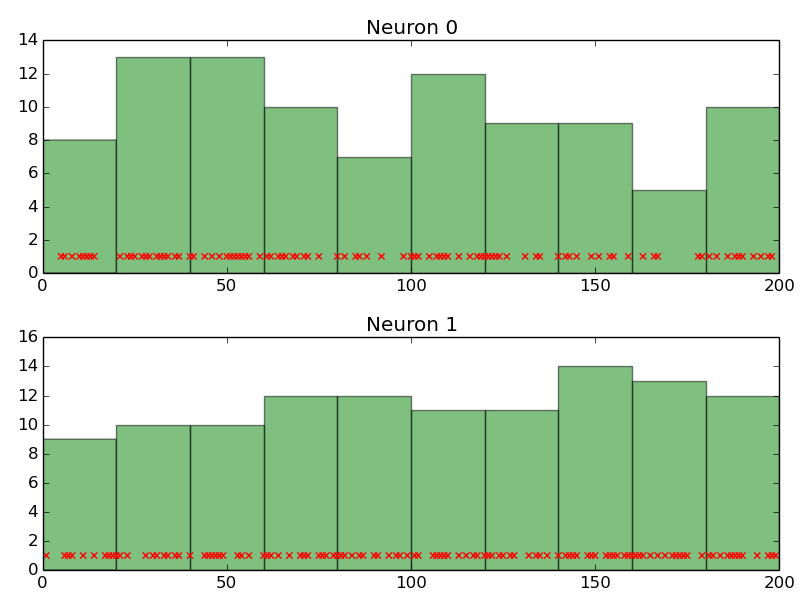
neurons.plotting.PSTH(spiketrain, binsize=20)¶ Peri-Stimulus Time Histogram
Example
The image above was created by following code:
spikes = np.random.randint(0, 2, size=(2, 200))
a = PSTH(spikes)
a.show_plot()
a.save_plot()
plt.show()
Initialize the PSTH plot with a spiketrain
Parameters: - spiketrain (Numpy array) – The spiketrain to be plotted
- binsize – The size of the bins
Returns: None
-
save_plot(filename=None)¶ Saves the plot.
Parameters: filename (String) – Name of the file. Default: ‘plot.png’
-
show_plot(neuron_indices=None)¶ Shows the PSTH plot.
Parameters: neuron_indices (List or Tuple) – The indices of the neurons to be plotted
-
class
neurons.plotting.WeightHeatmapAnimation(fps=30)¶ Show an animation of the weights (as a heatmap).
Example
The video above was created by following code:
w = WeightHeatmapAnimation()
for i in range(300):
    w.add(np.array([[i/300, 1], [1, 3]]))
w.show_animation()
plt.show()
Initialize the Weight Animation
Parameters: fps – How many frames-per-second the animation should be played. Default: 30 Returns: None -
add(weights)¶ Add weights to the end of animation.
Parameters: weights (Numpy array) – The weight matrix to be shown. Returns: None
-